Sharing your recap
At the end of a year you want to know what you actually read, watched and heard. That's what the cultural box is for: one card with your whole library on it, ready to share.
Where it lives
Your library has a Cultural Box tab. The first time you open it, MyCultBox runs the numbers and draws the card. That usually takes a few seconds; the page refreshes itself as soon as it's ready.
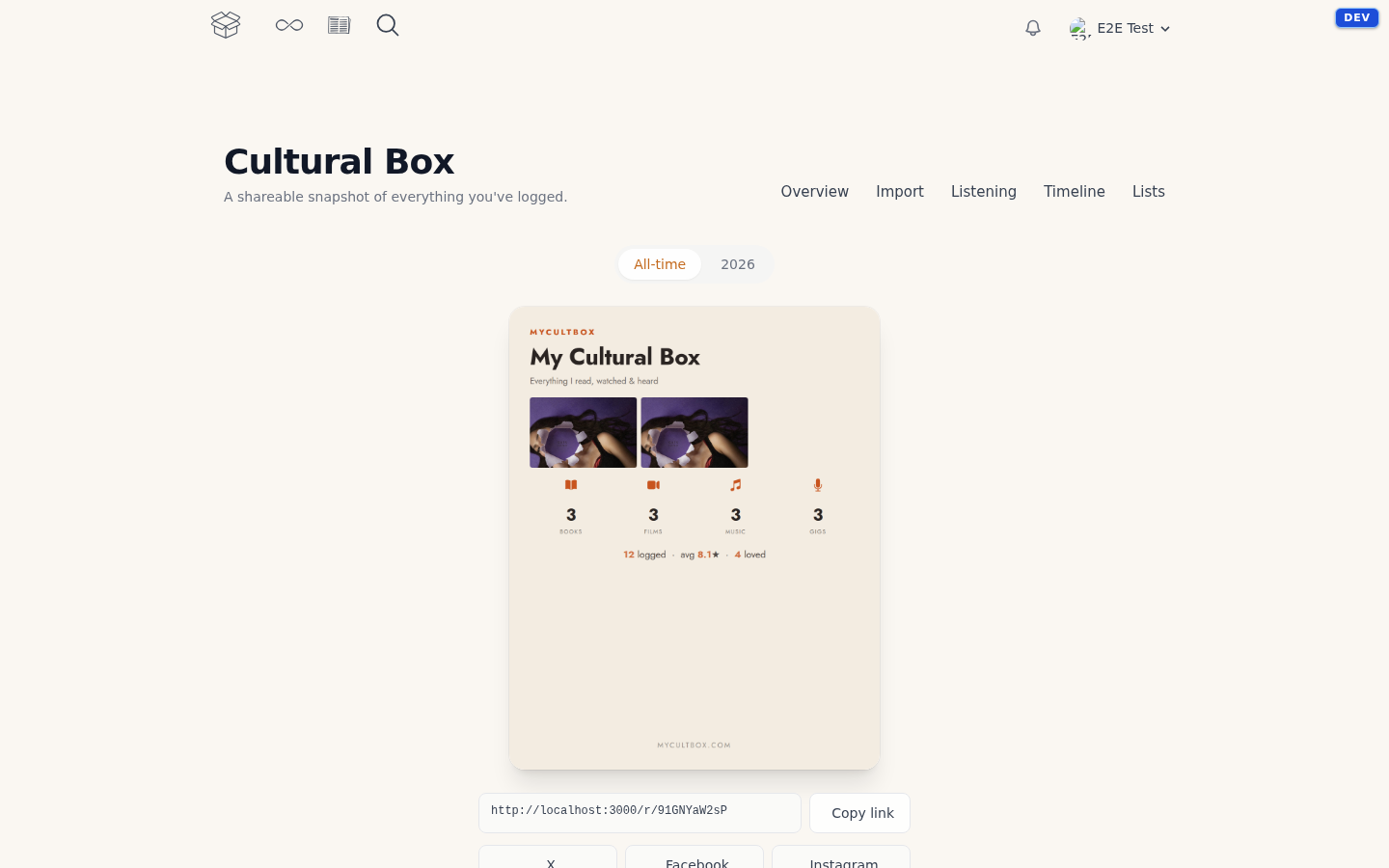
What's on it
- How many items you've logged, and how they're split across books, films, music and concerts
- Your average rating
- Your favourites: everything you gave a 9 or higher
- How many reviews you wrote
- Your plays through the player, and the album you played most
- A mosaic of up to nine covers — your best-rated items, topped up with your most recently added ones if you haven't rated enough yet
All time, or one year
At the top you switch between All-time and the current year. For a year, MyCultBox counts what you logged that year, plus the concerts you attended that year — even if you entered them later. That way a gig doesn't disappear into an import of your whole history on day one.
Added a lot since? Click Refresh with my latest library. The numbers are recomputed and the card is redrawn.
Sharing
Your card comes in three formats: portrait for your feed, landscape for a tidy link preview, and 9:16 for a story. Download them directly, or copy the link to your public card page (mycultbox.com/r/…). Anyone with that link can view the card — there's nothing private on it, only your counts and your covers.
If you haven't logged anything yet there's nothing to sum up either; start with Adding your first items.