Creating your account
Signing up takes a minute and no credit card.
Sign up
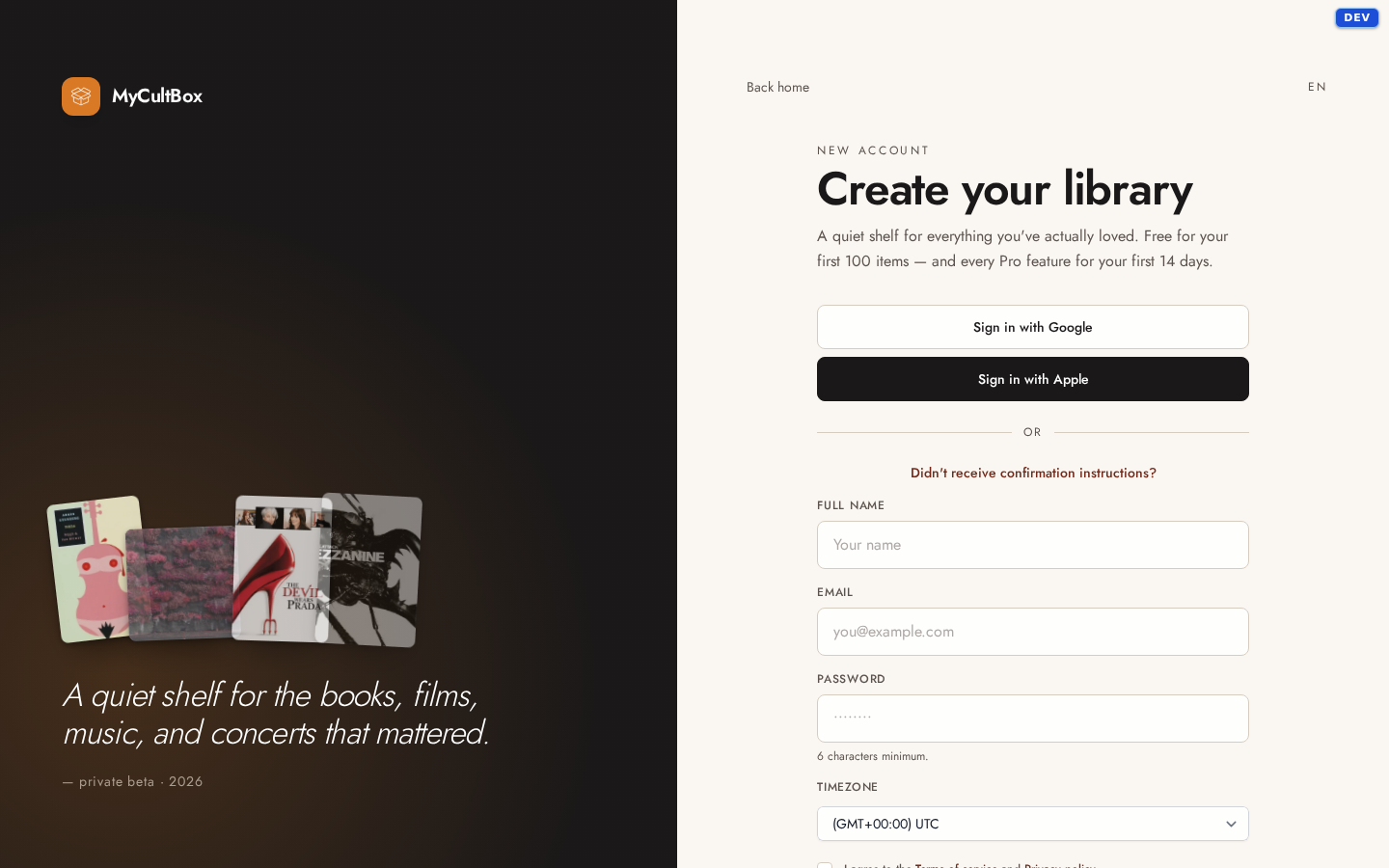
The signup form asks for your name, email address and a password, lets you pick your time zone, and asks you to accept the terms. Rather not keep another password? Sign up with your Google account instead — everything else works the same.
Your name becomes the name of your box straight away. You can change it later under Profile.
Confirm your email
You'll get a confirmation email right after signing up. No need to wait for it: you can start using MyCultBox immediately for three hours. If you haven't confirmed by then, MyCultBox will ask before you can go on. No email? Check your spam, and otherwise use the Didn't receive confirmation instructions? link under the signup form.
Your first 14 days
Every new account gets the Pro features for 14 days — curated critic reviews, AI recommendations, author biographies, webpage archiving. So you can see what Pro is for before paying for anything.
What the trial does not do: lift the 100-item limit. That limit belongs to the free plan, and it applies during your trial too. The daily number of metadata lookups also stays at the free level. Only a paid subscription (or a comp from us) removes those limits — see Free and Pro.
After 14 days nothing happens to your library. Your items, reviews and photos stay put; only the Pro features lock.
Set your language
MyCultBox speaks English and Dutch. Your language lives under Profile, as Preferred language, and it decides more than the buttons: it also sets the language descriptions are fetched in. You can switch temporarily with the language picker as well; we remember that choice in your browser.
Next up: Adding your first items.